Gallery
Five programs, photographed by themselves. Every one of these pictures was made by the program in it, with --snapshot, which draws one frame to a file and exits — so what you are looking at is the rasteriser's output and not a screen capture of it.
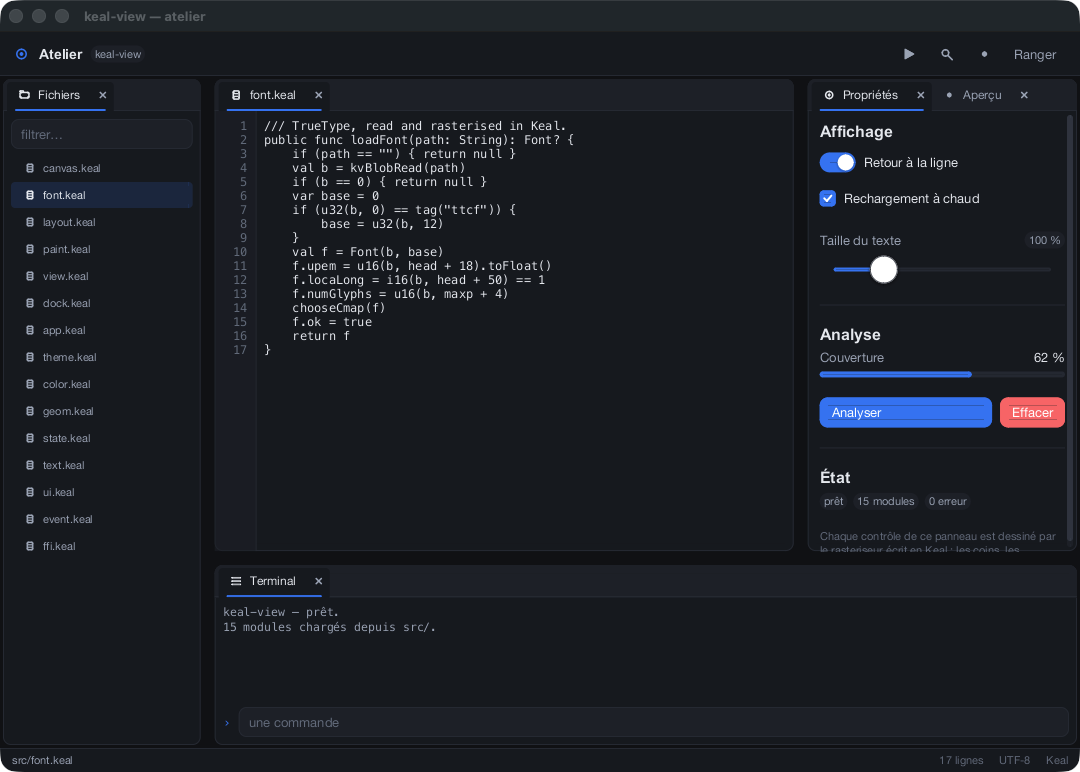
The studio —
A docked workspace: a file list, a code editor, a properties panel with its own preview tab, and a terminal. The arrangement is a binary tree of leaves and splits. The editor and the coverage chart are both
examples/studio.kealA docked workspace: a file list, a code editor, a properties panel with its own preview tab, and a terminal. The arrangement is a binary tree of leaves and splits. The editor and the coverage chart are both
custom views — handed a clipped canvas and left to draw.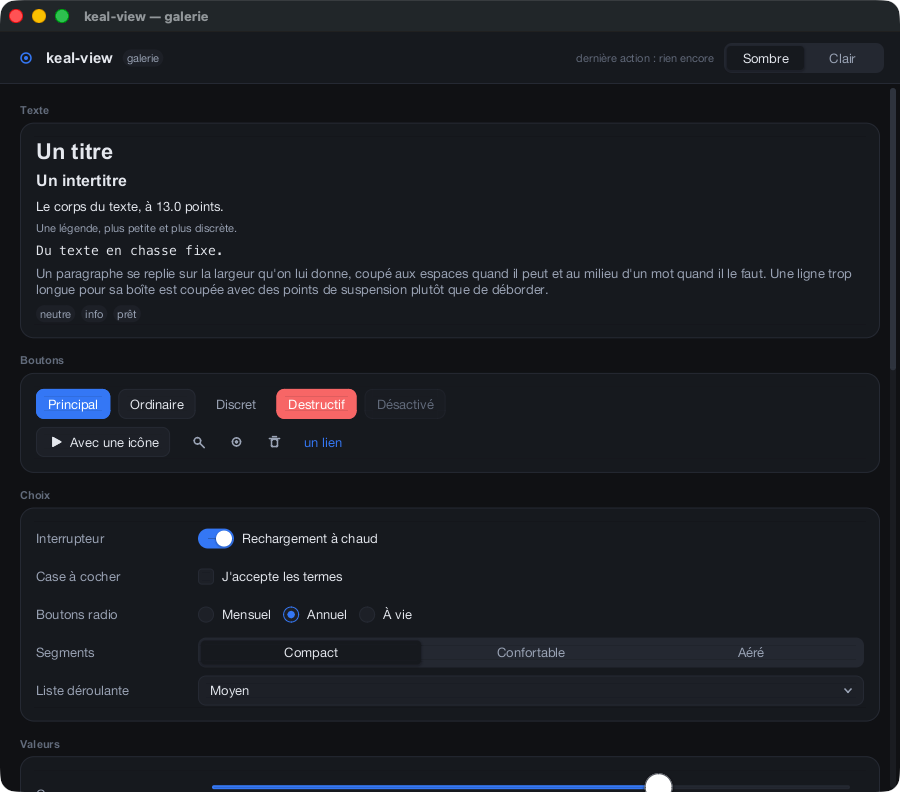
The widget gallery —
Documentation that runs: every widget there is, on one scrolling page. If a control is not in here it does not exist.
examples/gallery.kealDocumentation that runs: every widget there is, on one scrolling page. If a control is not in here it does not exist.
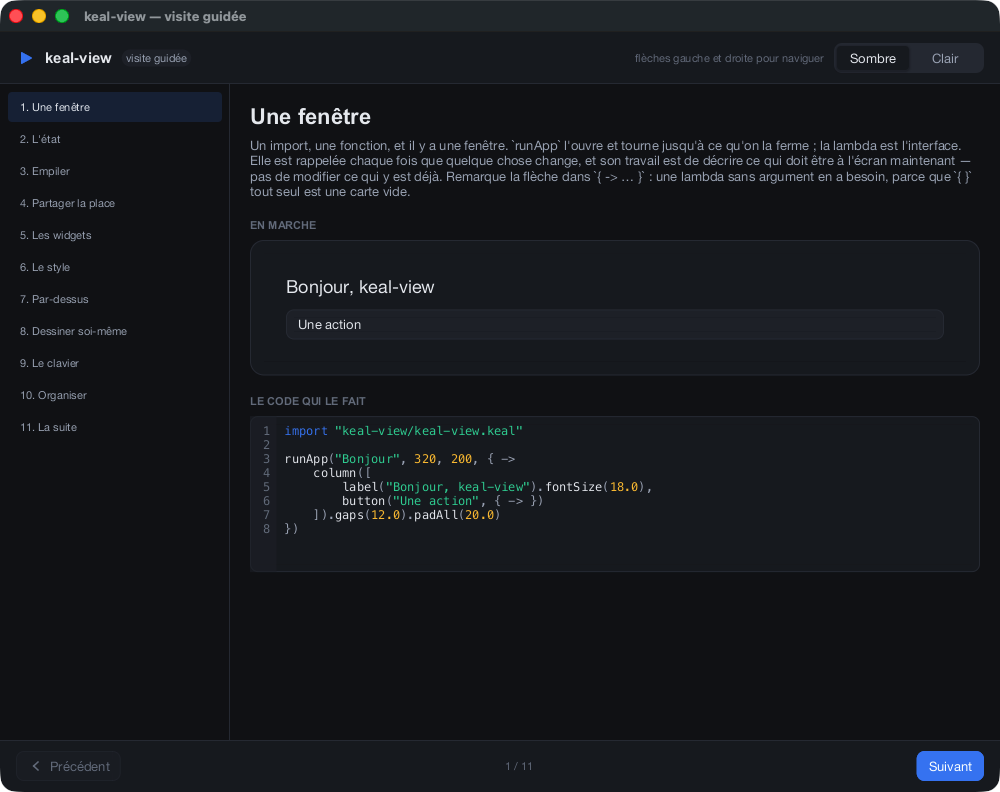
The guided tour —
A tour of keal-view written in keal-view. Eleven chapters, each showing a thing running next to the code that made it — a live counter, a live slider, a live dock you can drag a panel around inside.
examples/tour.kealA tour of keal-view written in keal-view. Eleven chapters, each showing a thing running next to the code that made it — a live counter, a live slider, a live dock you can drag a panel around inside.
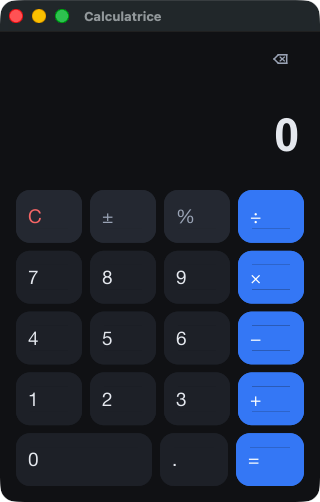
A calculator —
The whole thing end to end — arithmetic, keypad, keyboard — in about two hundred lines. The keypad is five rows of four.
examples/calculator.kealThe whole thing end to end — arithmetic, keypad, keyboard — in about two hundred lines. The keypad is five rows of four.
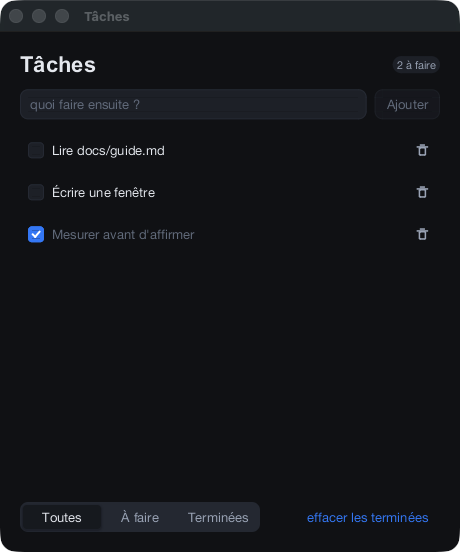
A to-do list —
State, a list rebuilt from it, and a field that keeps its caret when a row above it is deleted — because rows are keyed, and identity is what retained state hangs on.
examples/todo.kealState, a list rebuilt from it, and a field that keeps its caret when a row above it is deleted — because rows are keyed, and identity is what retained state hangs on.
How the pictures are made
Every keal-view program takes --snapshot without being told to. It needs no display, which is how the framework is checked in continuous integration on three platforms, and why these pictures cannot quietly drift from what the code does.
build/studio --snapshot frame.bmp 2          # one frame to a file, then exit
build/studio --snapshot frame.bmp 2 900 1900 # …at a size of your choosing
build/studio --window-id /tmp/id             # write its own window number out